Connect permissions visually
Connect employees, departments, and folders to see access.




Your own computer becomes a file server with AI
For individuals and SOHO. Install it yourself on hardware you own, free to start. It assumes you manage folder permissions and backups yourself. Move up to Anexton One as staff grows.
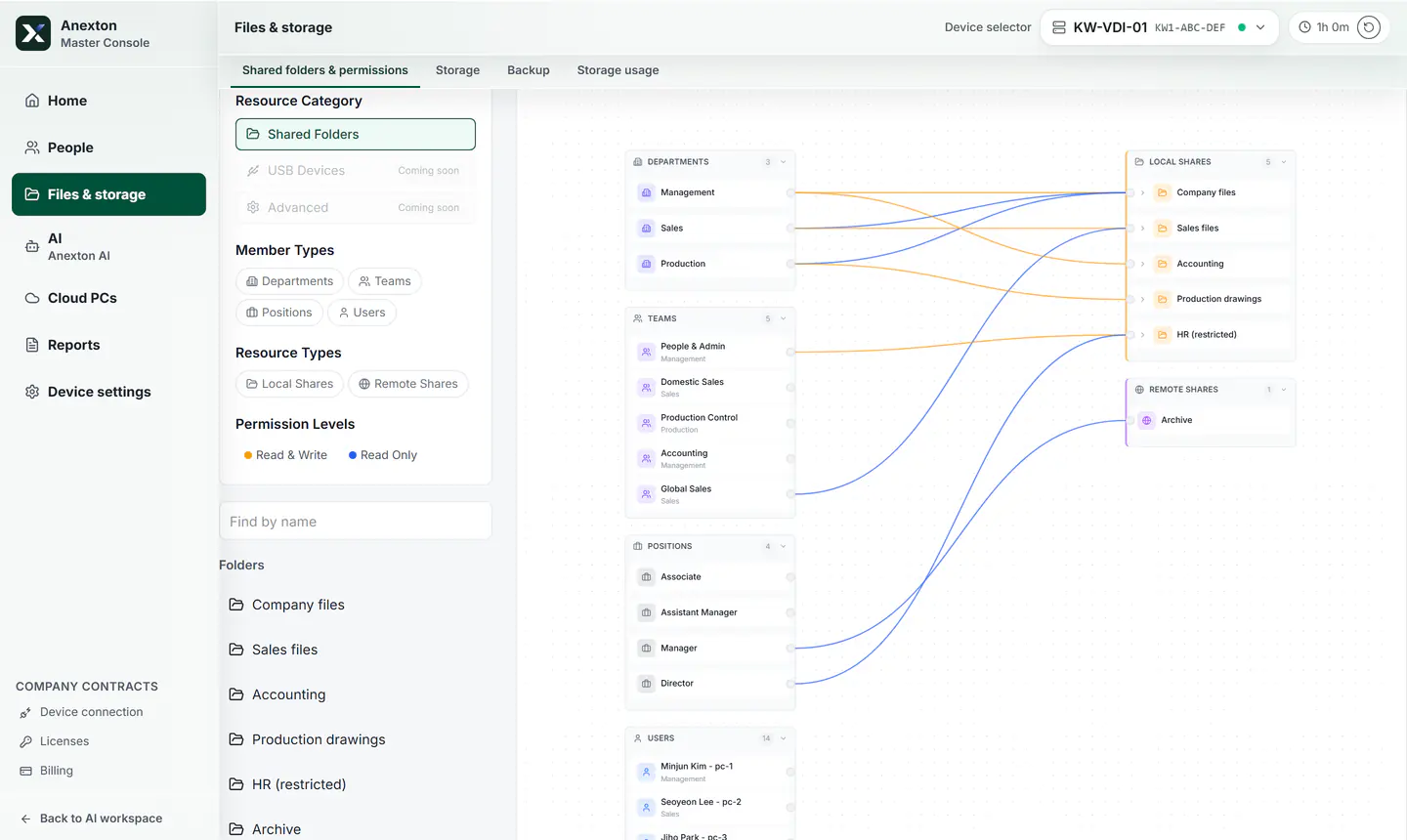
The lines between departments, teams, roles, and shared folders are the real permissions.
Connect employees, departments, and folders to see access.
Open and download files from the web without a dedicated app.
Bring back files deleted by mistake from the recycle bin.
Files gathered here ground the company AI.
Current console screens, captured with a sample company’s made-up data. Open any screen to see each highlighted part explained.
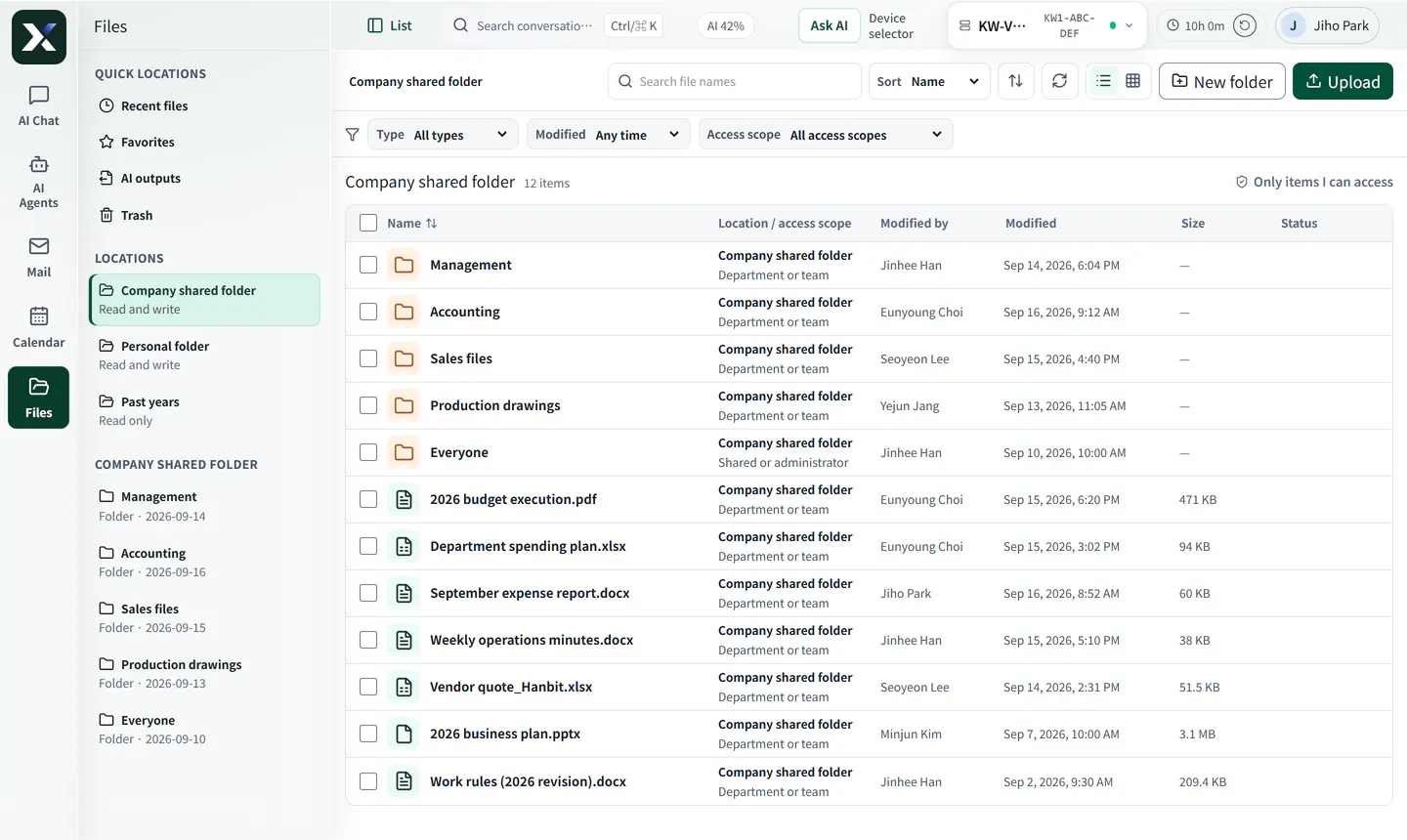
Open and download files on the web with no extra app. Only files you may open appear.
Company shared folders and your personal folder in one place.
Open and download files in the browser — no extra app.
Only files you are allowed to open appear in the list.
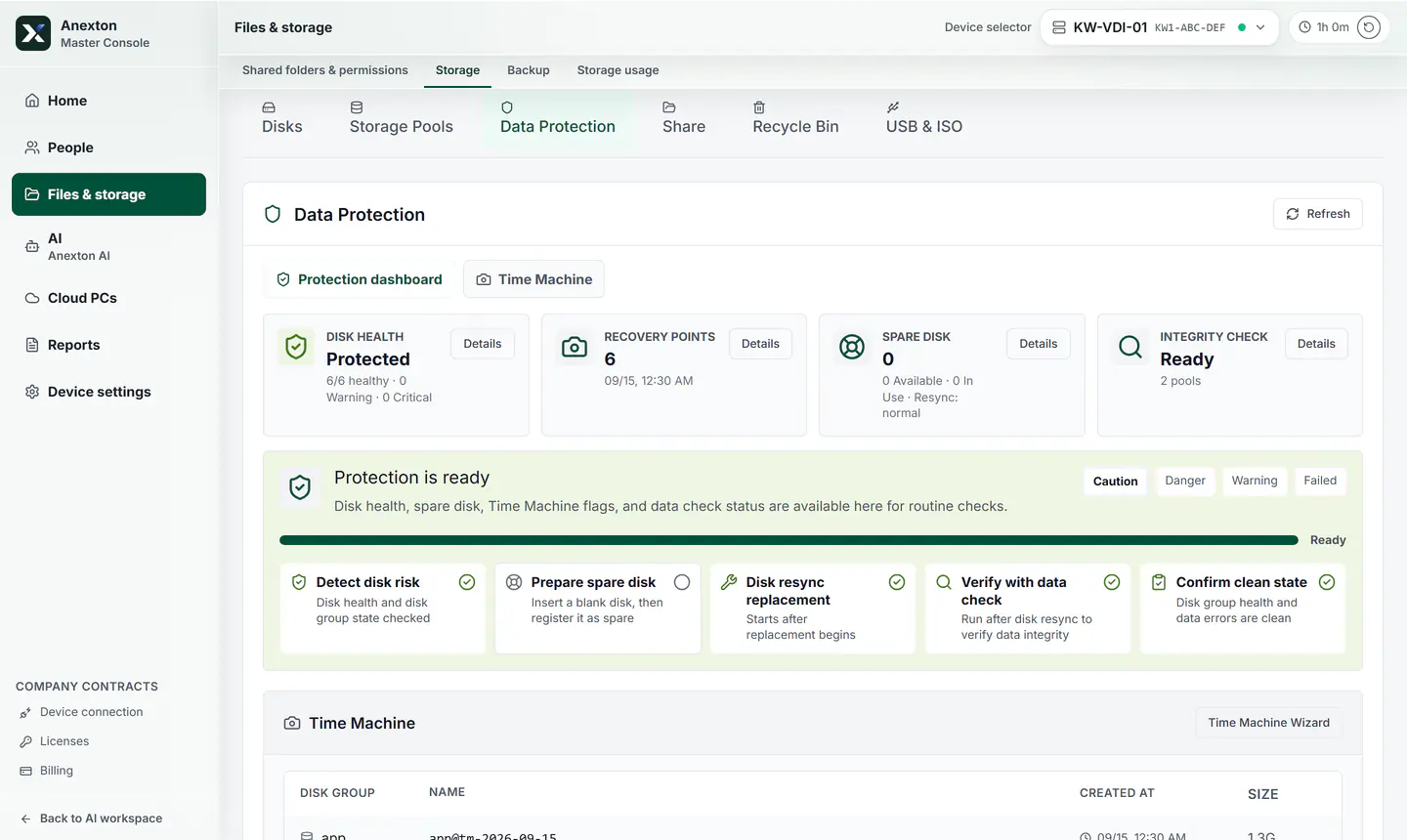
Disk health, restore points, and what happens on a disk failure — on one screen.
Disk health, restore points, spare disks, and data checks as cards.
Shows step by step what happens if a disk fails.
Roll files back to a point saved on any day listed.
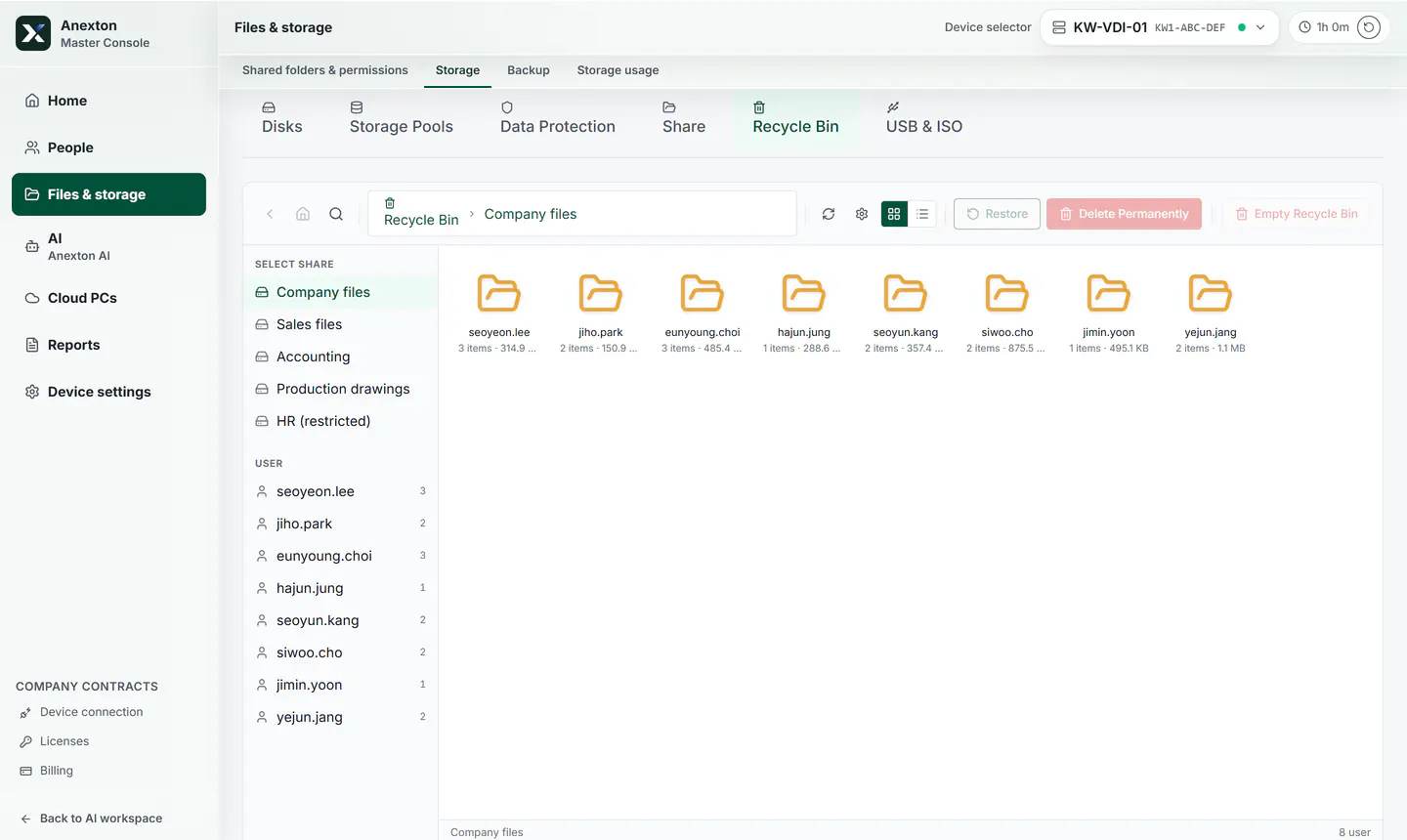
Deleted files gather in the recycle bin by folder and person. Pick them and put them back.
Deleted files are grouped by shared folder and by who deleted them.
Deleted files stay here instead of vanishing.
Pick files and put them back where they were.
Start with existing department, customer, and accounting folders.
Separate folder access by role: owner, team lead, staff, partner.
Set protection rules for important folders first.
Contracts, quotes, and work files on one laptop are gathered in one place and kept protected.
Files deleted or overwritten by mistake come back through the recycle bin and recovery rules.
Move up to Anexton One without migrating data.
Start with the features you need and expand when ready.
Download installerAnexton is two products plus two components inside them. Check that you are in the right place.
Offices with 10–49 people that want setup and operations handled for them
Files, backup, workspaces, and AI agents on one office device. We handle installation, training, and operations.
Start: Contact us, then decide after a trial
Individuals and SOHO users comfortable installing it themselves
File storage, backup, and document AI you install on your own computer. Free to start, with hands-on settings.
Start: Free download, self-install
Employees at companies using Anexton
The Windows app that opens your Cloud PC. Not sold separately — it comes with the products above.
Start: Free download, sign in with your company account
Users of both products
The in-house AI agents that answer from permitted documents and draft recurring paperwork. Included in both products, not sold separately.
Start: Start with Enterprise or NAS & AI